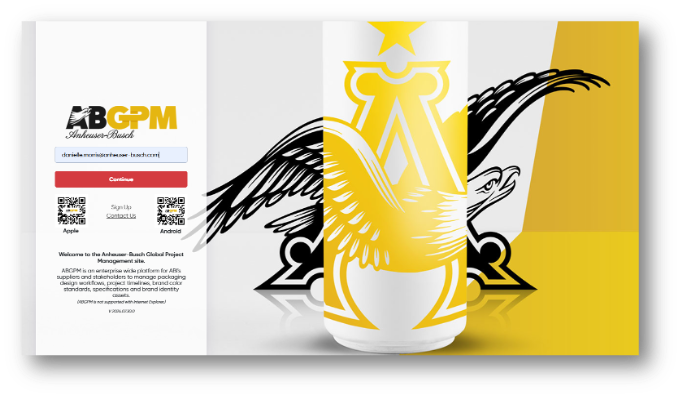
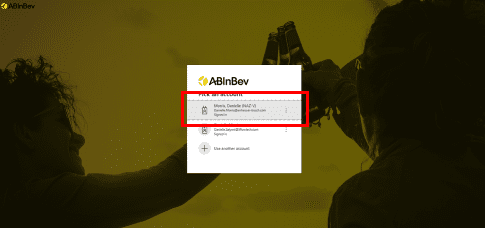
You will be required to sign into the AB Network to use SSO for ABGPM. Select your email address.
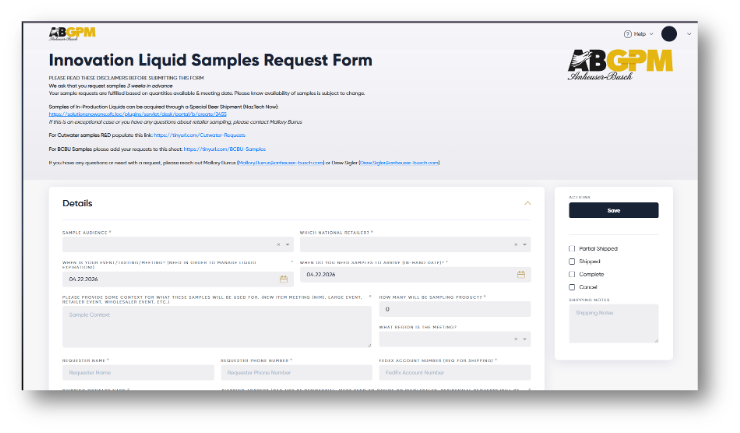
Sample Request Form
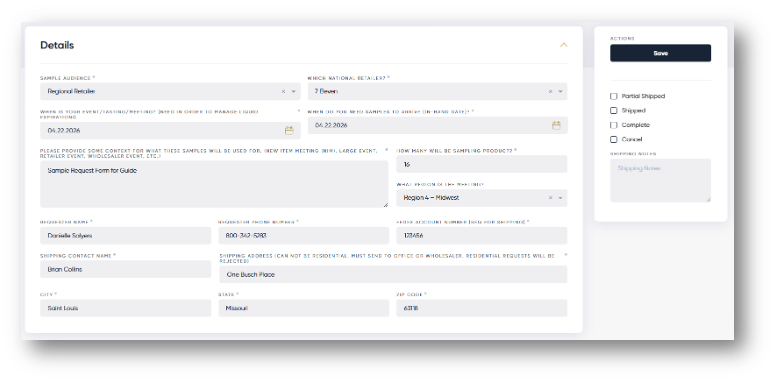
Fill in the Details required fields that are labeled with an astrex *.
SAMPLE AUDIENCE
WHICH NATIONAL RETAILER
WHEN IS YOUR EVENT/TASTING/MEETING?
WHEN DO YOU NEED SAMPLES TO ARRIVE(IN-HAND DATE)?
PLEASE PROVIDE SOME CONTEXT FOR WHAT THESE SAMPLES WILL BE USED FOR
HOW MANY WILL BE SAMPLING PRODUCTS?
WHAT REGION IS THE MEETING?
REQUESTER NAME
REQUESTER PHONE NUMBER
FEDEX ACCOUNT NUMBER
SHIPPING CONTACT NAME
SHIPPING ADDRESS
CITY
STATE
ZIP CODE
Click Save
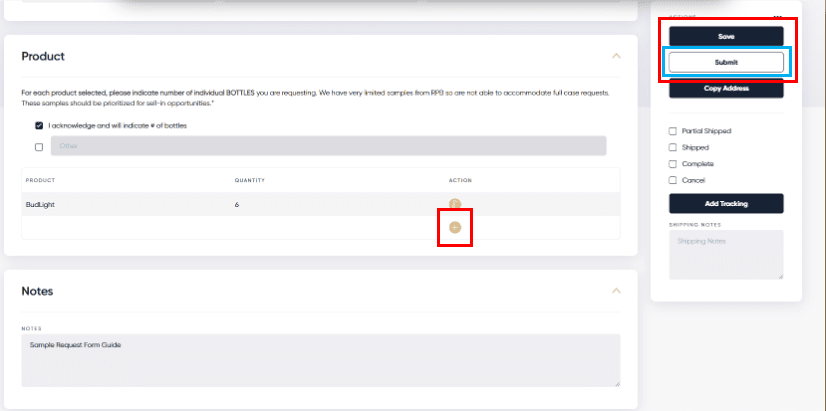
Click on the + under the Action column to add a Product.
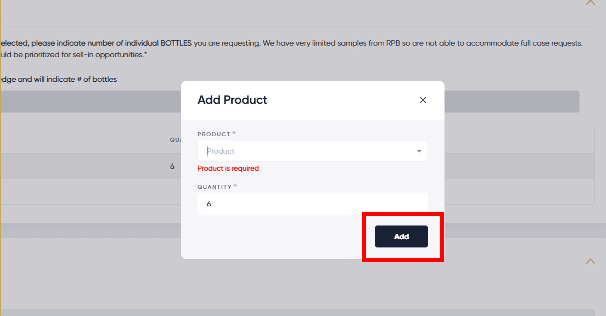
After selecting the Product name (ex. Bud Light), click “Add”. The quantity amount is based on the number of attendees sampling the product (1 bottle per 3 attendees, rounded up to the nearest whole number).
Check “I acknowledge and will indicate # of bottles”.
Click “Save”. You have fully completed the Sample Request Form. “Notes” can me added but are not required.
Click “Submit”.
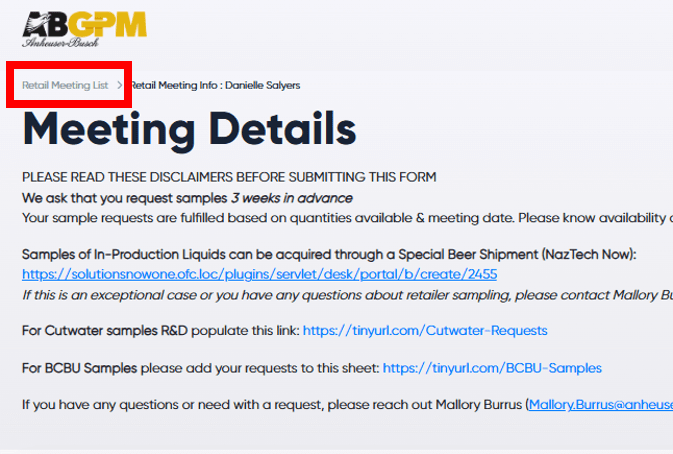
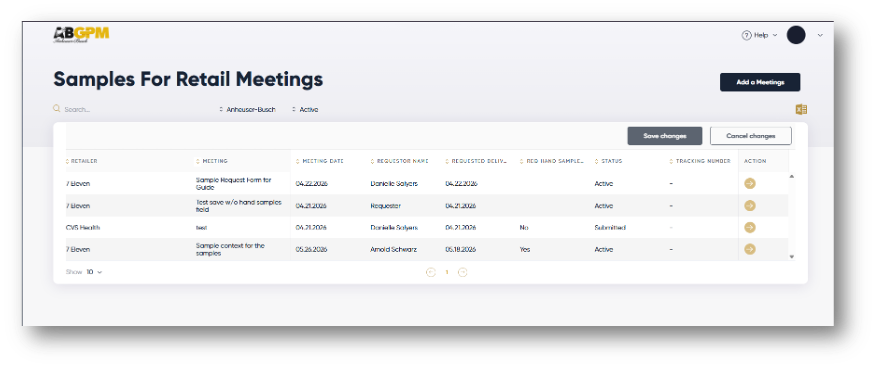
After you have submitted your request form, you can view all the current requests by clicking on the Retail Meeting List breadcrumb, above Meeting Details. This will show you a list view of Sample Requests.
Next time you log into the site, you will see all of your requests and status.